
Sumdog Case Study
Centralized roster control with minimal disruption for existing users
Client
Sumdog is a social enterprise providing educational SaaS practice resources and games for the K-8 market. Sumdog has 6 million users worldwide and is used in 20% of US schools.
Sumdog sells subscriptions to individuals, schools and districts.
Brief
Many school districts wanted to link their roster to Sumdog and update it centrally. Sumdog had promised to add this functionality via an API using OneRoster.
New interface screens and emails had to be designed for teachers in such districts, who would no longer be able to update the roster manually as they had before.
Users
Teachers of grades K-8 in US school districts. They either use Sumdog currently, or work in districts where Sumdog is used by others.
They have varying degrees of tech literacy and are especially sensitive to any perceived increase in their workload.
Constraints
The design had to be ready for hand-off within 3 weeks to align with the next development sprint.
The new screens needed to integrate with existing screens. Visual design and some layout choices (such as button placement) were predetermined.
My Role
UX Designer based in NYC, collaborating with a UK team consisting of two developers and the director of marketing who was leading the project.
As Sumdog's first UX Designer, I wrote the project spec, conducted research, created wireframes, comps and user flows, and ran usability tests.
Tools
Sketch (wireframes)
InVision (prototypes)
G Suite (internal presentations)
Draw.io (user flows)
Pen & Paper (sketches)
Contents
01. Planning the project
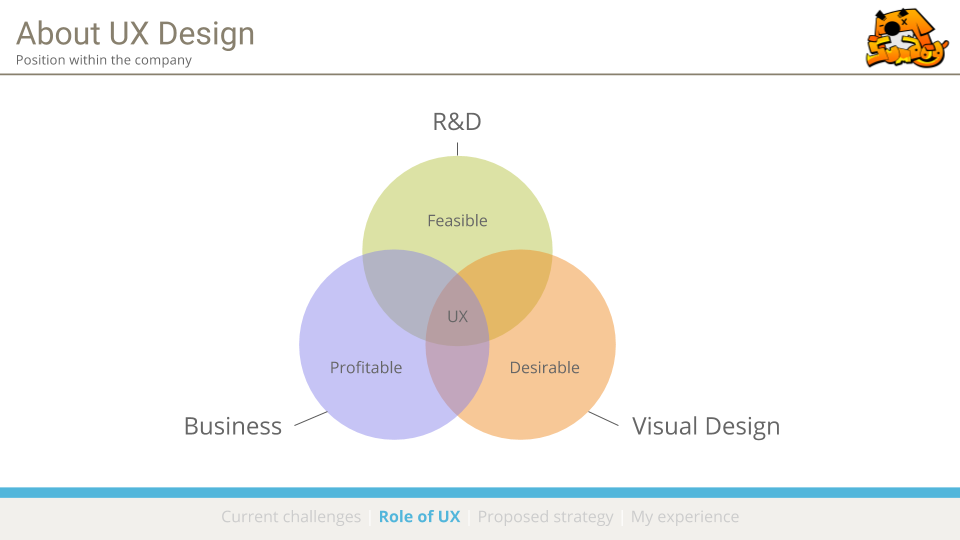
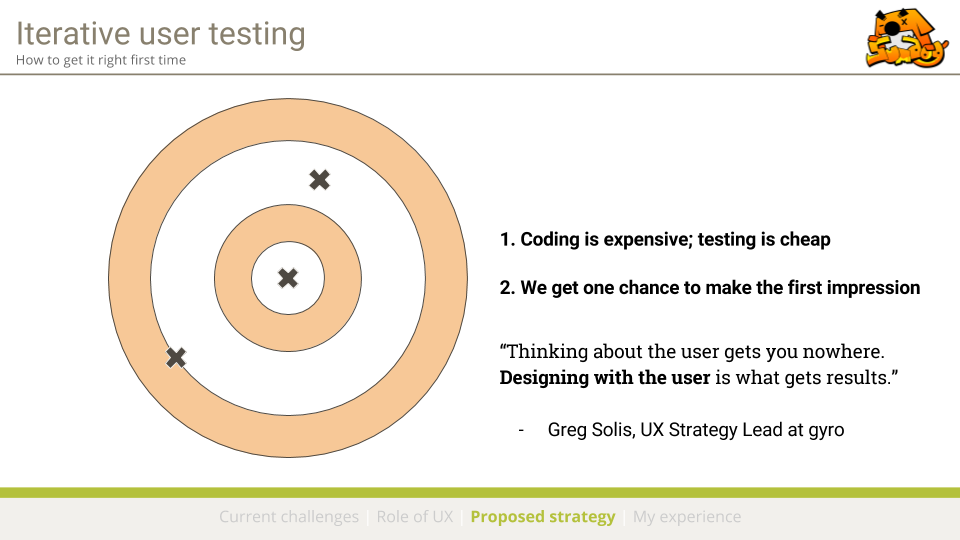
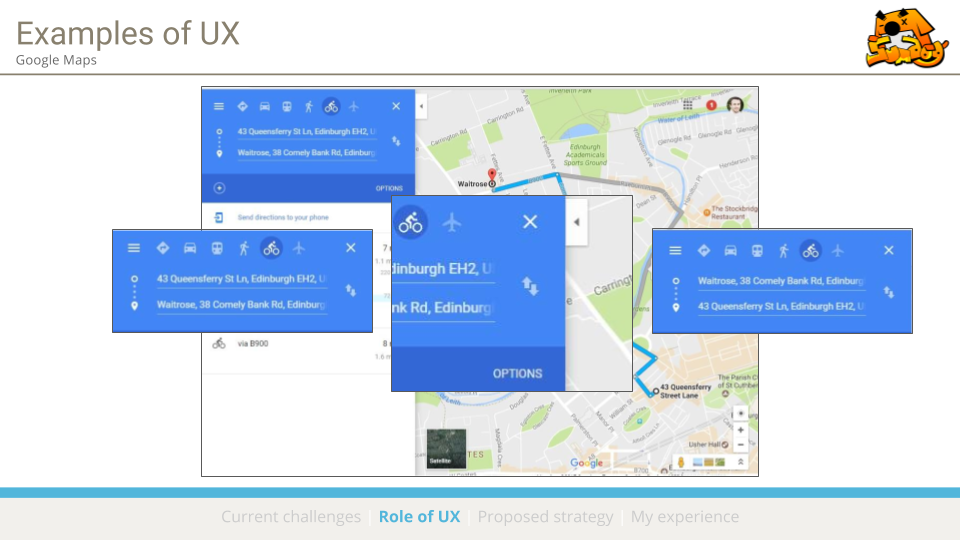
Prior to this project, Sumdog was not using UX Design in their development process. I delivered a one-hour presentation to the executive board, explaining the benefits of a rigorous UX process and introducing some basic best practices.
The presentation was well-received, and the board expressed interest in incorporating a UX process for their next release. I was invited to join the OneRoster project as a contracted UX Designer. Excerpts from the presentation slides are pictured below.

We started the project with some initial assumptions:
1.
End-users in OneRoster districts can no longer edit the roster manually because it is centrally managed, so if they visit the roster screen it should appear locked, ideally with an explanation message.
2.
The roster algorithm will match existing teacher accounts to teachers on the roster using their school email address. Teacher accounts that don't match a teacher on the roster will be removed to preserve account security.
3.
Teachers on the roster who don't currently use Sumdog will be given access to a Sumdog account via email. (Sumdog had never unilaterally created teacher accounts before.)
I began by writing a project spec which would deliver a validated design within the 3-week deadline.
Since the goal of the project was to communicate the change clearly and minimize any perception of inconvenience, I knew user research would be essential. Consequently I split the time evenly between research, design, and testing.
02. Understanding the User
I recruited research participants from Sumdog's existing users with an email campaign offering a $15 voucher.
We received more responses than we needed, so I created a mailing list to capture interest for future research, which received 40+ sign-ups within two days. Sumdog can draw upon this resource for future projects.
I conducted 45-minute phone interviews with 14 teachers from across the country, and traveled to two school districts in New Jersey to discuss the project with district administrators.
I produced a research report which was shared with all Sumdog staff members. On the whole, users were excited by the concept of roster integration and felt it would bring new users to Sumdog.
The research yielded several actionable insights:
Insight
Teachers will likely be frustrated that they can't edit the roster, mostly because they mistakenly believe they can no longer set skills or view reports for students not in their class.
Action
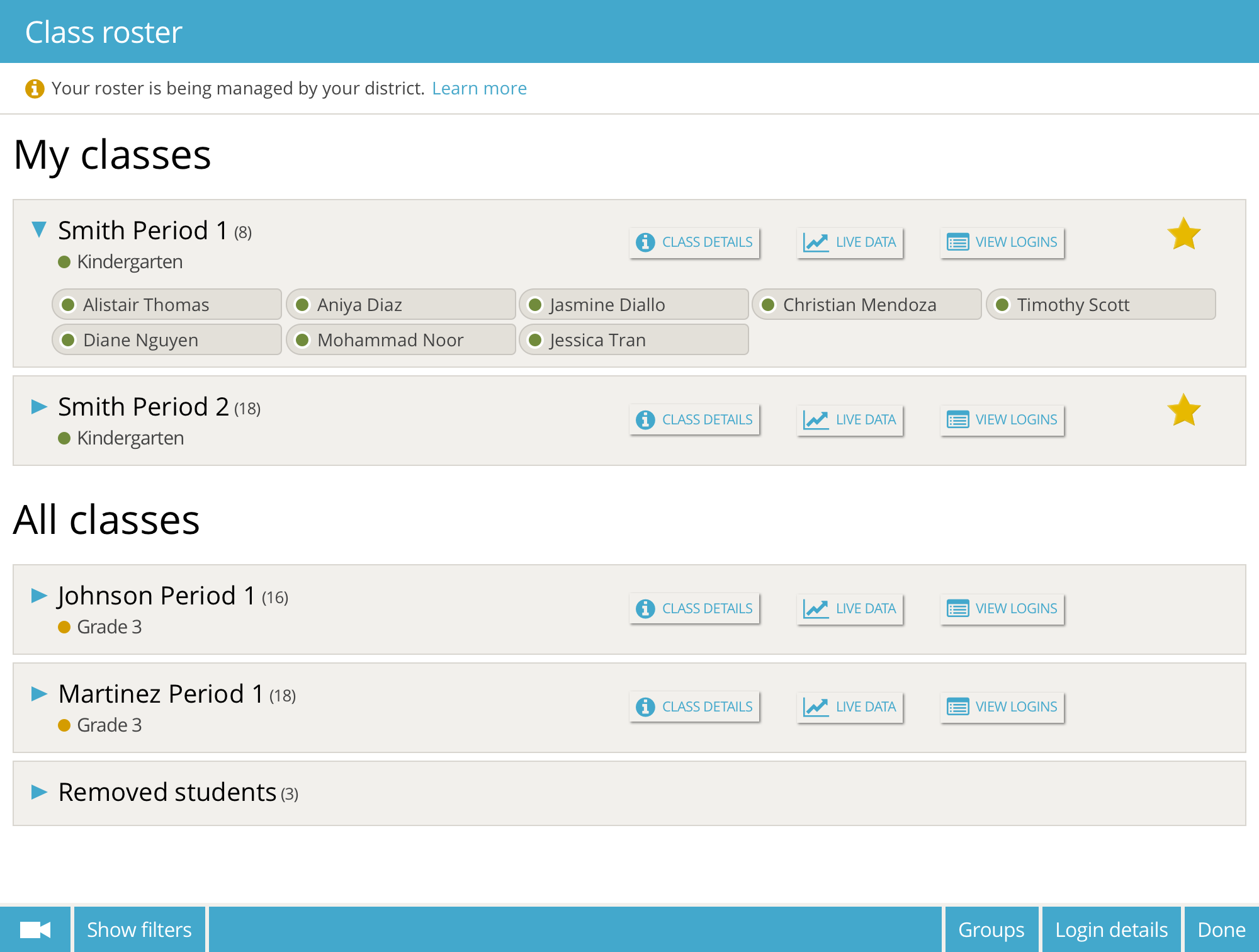
Instead of just locking the existing roster page, design a new roster page which highlights these key features and places emphasis on what is possible instead of what isn't.
Insight
If we send account invites to new teachers via email they will likely be deleted. Teachers are suspicious of phishing scams, especially if the email doesn't include any names they recognize.
Action
Design the welcome email to include the name of the administrator who sent the invite. Also, ask district administrators to send a "warning email" before the integration, so teachers know to expect an email from Sumdog.
Insight
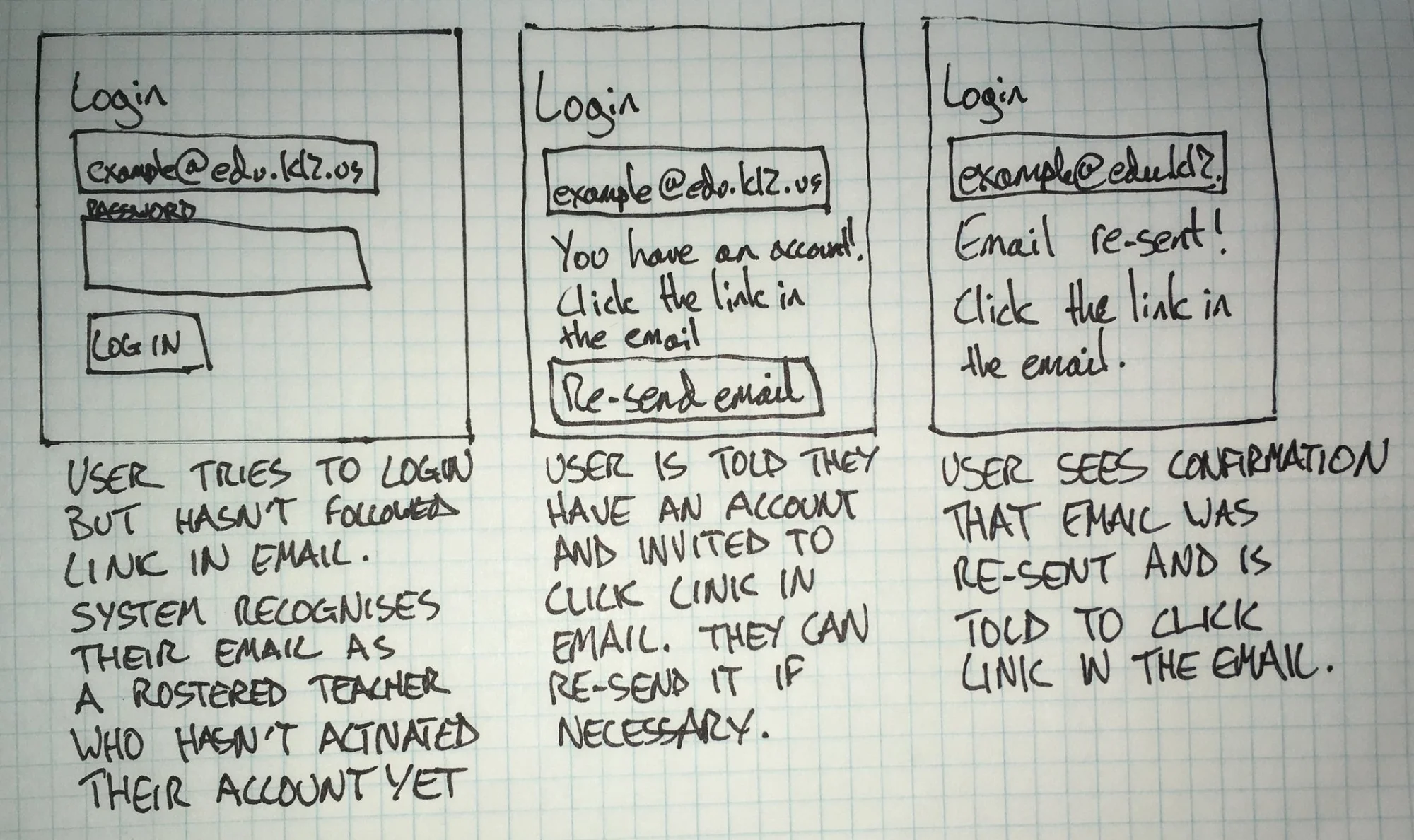
Teachers often lose emails, and are likely to lose the welcome email with the link in it. In such a case, they would likely try to log in to their new account via the Sumdog login page.
Action
Add a feature to the login page which recognizes the email address of a newly-rostered user, shows a special message and gives them an option to re-send their welcome email.
Insight
Some teachers sign up to Sumdog with personal emails (despite instructions not to). Their emails will not be matched in the roster and their accounts will have to be removed from the school.
Action
Remove users who aren't found on the roster. Add a special message for recently removed users who log in, explaining their removal and encouraging them to sign up with school email.
03. Changing Requirements
In response to the insights gained during the research phase, some of the assumptions we had started with had been disproved. The requirements for the project had changed, which raised some new problems that needed to be addressed:
1.
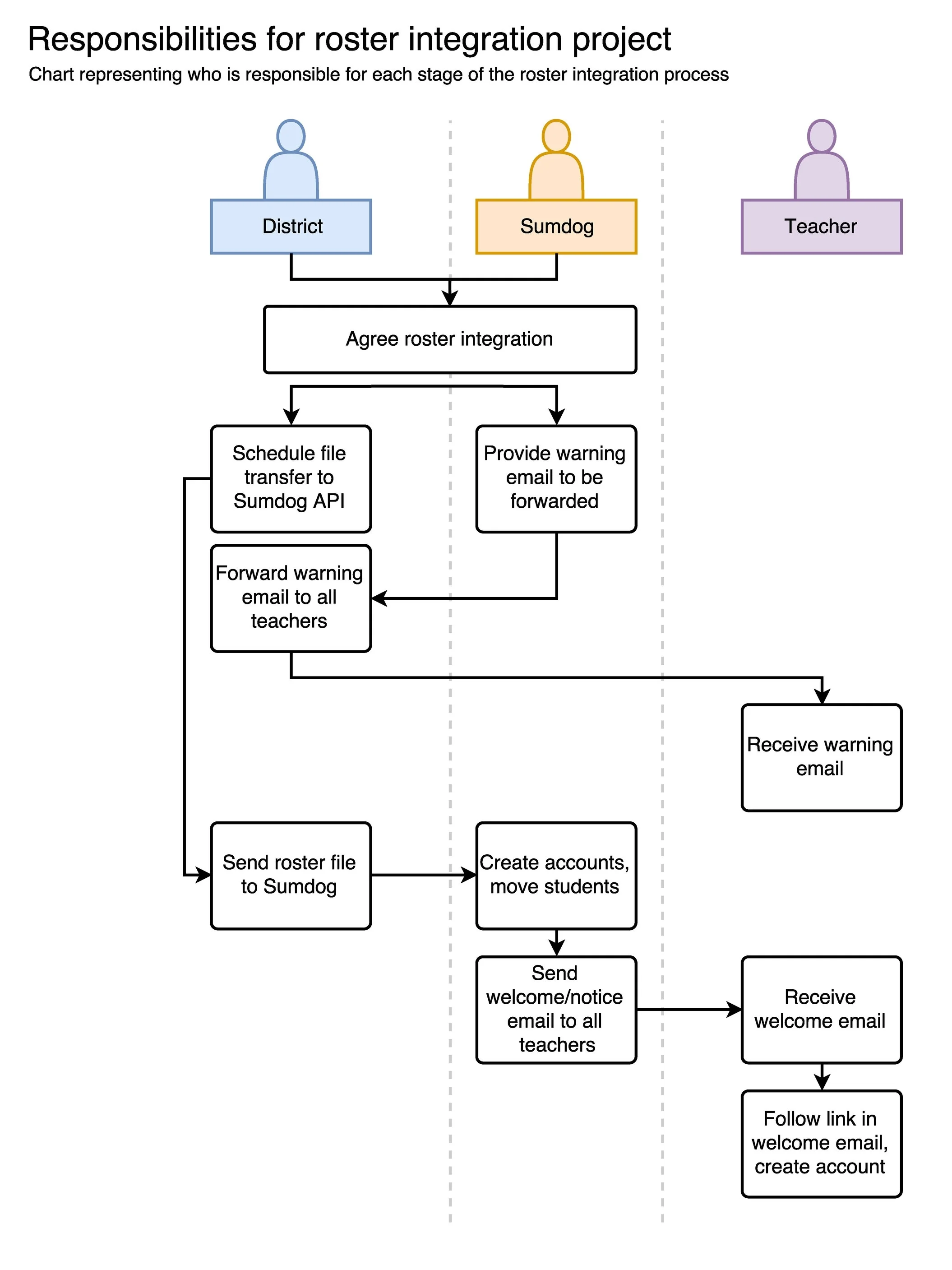
If the district has to send a warning email to all teachers, the customer support team must be involved. We need to ensure all staff members understand the process and their responsibilities at each stage.
I decided to produce a set of flow charts to communicate how the system works to other teams.
2.
We needed new functionality to recognize recently removed users and rostered users who are trying to log in via the homepage, so that we can display a special message for them.
I held a call with the development team to ensure that this functionality was feasible, and secured an agreement to include it in the project.
3.
The development team had written an initial algorithm for the roster integration, but they needed real data to test it.
I reached out to a local district with whom I had worked in the past, and convinced them to send us data in the OneRoster format.
04. Designing the experience
With the requirements set and the problems resolved, I began to design mockups for all user flows. Since the visual design was already set in stone, there was no need to start with wireframes.
We needed to account for every eventuality: whether or not a teacher had an existing account, and whether or not their name had been matched with one on the roster. I started by sketching storyboards to better understand the user flows involved.
For the mockups, I simplified my workflow by tracing over screenshots of the current Sumdog UI in Sketch, and then making the necessary adjustments.
This allowed me to match the existing style precisely, and get started on the mockups faster than if I'd replicated them from scratch.
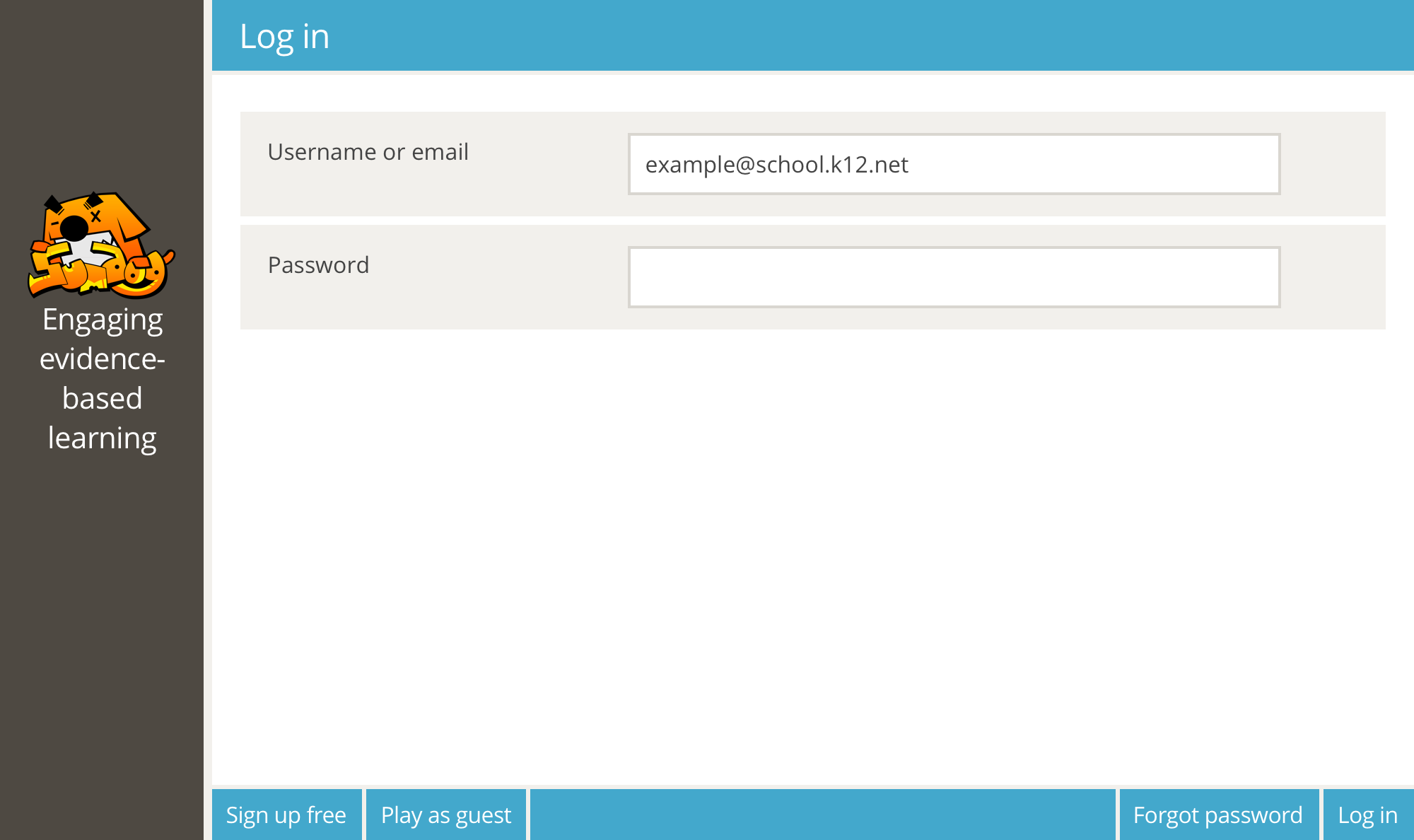
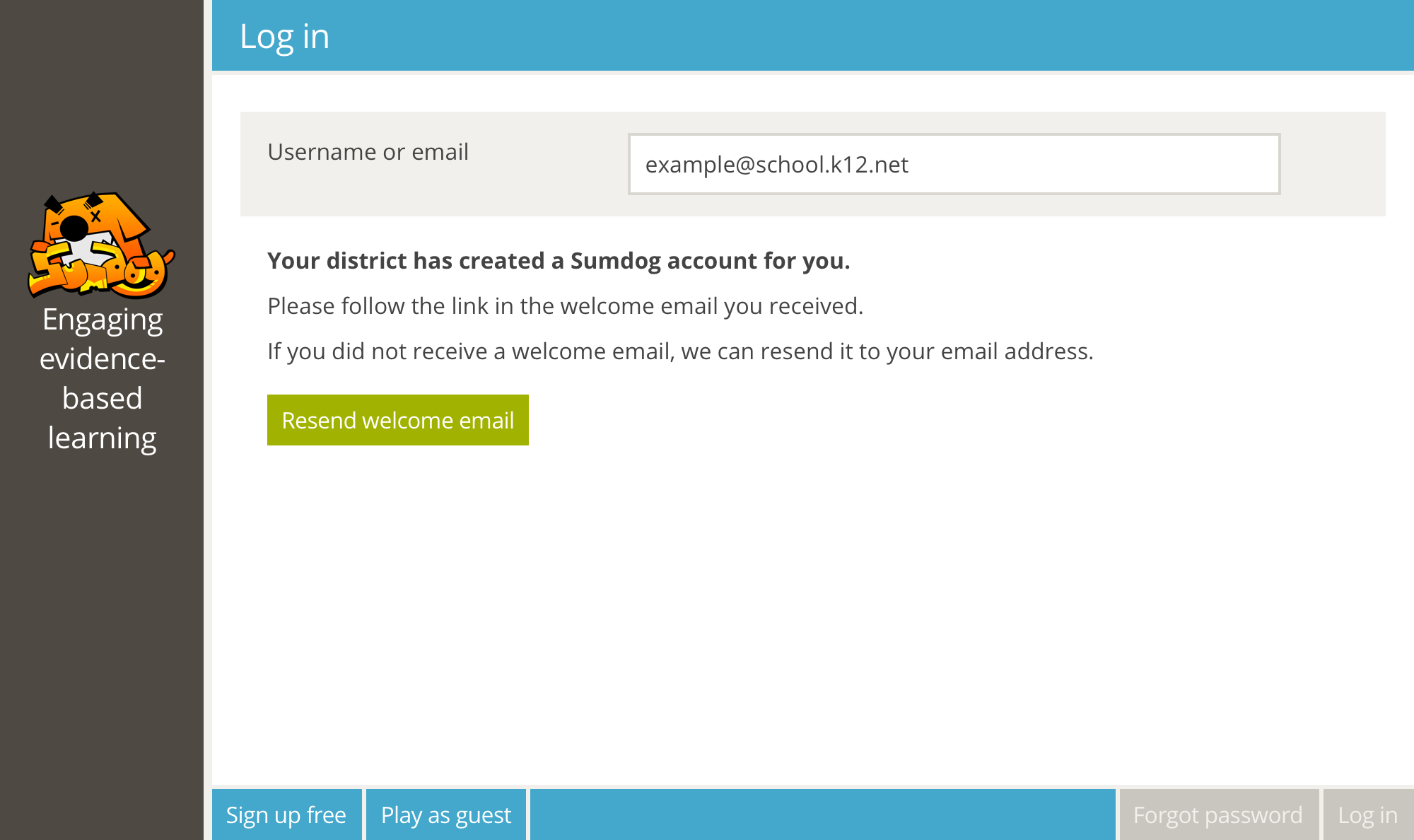
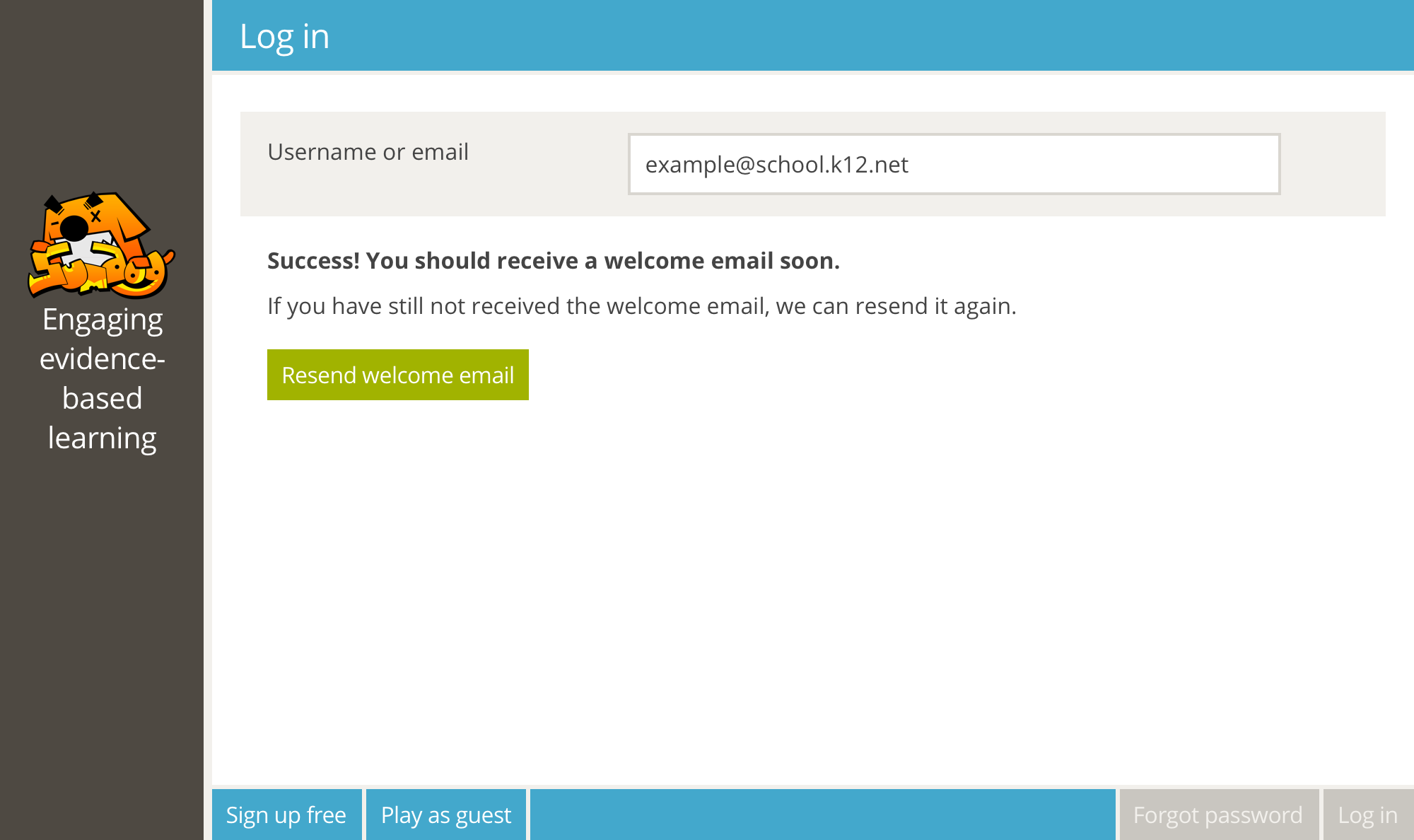
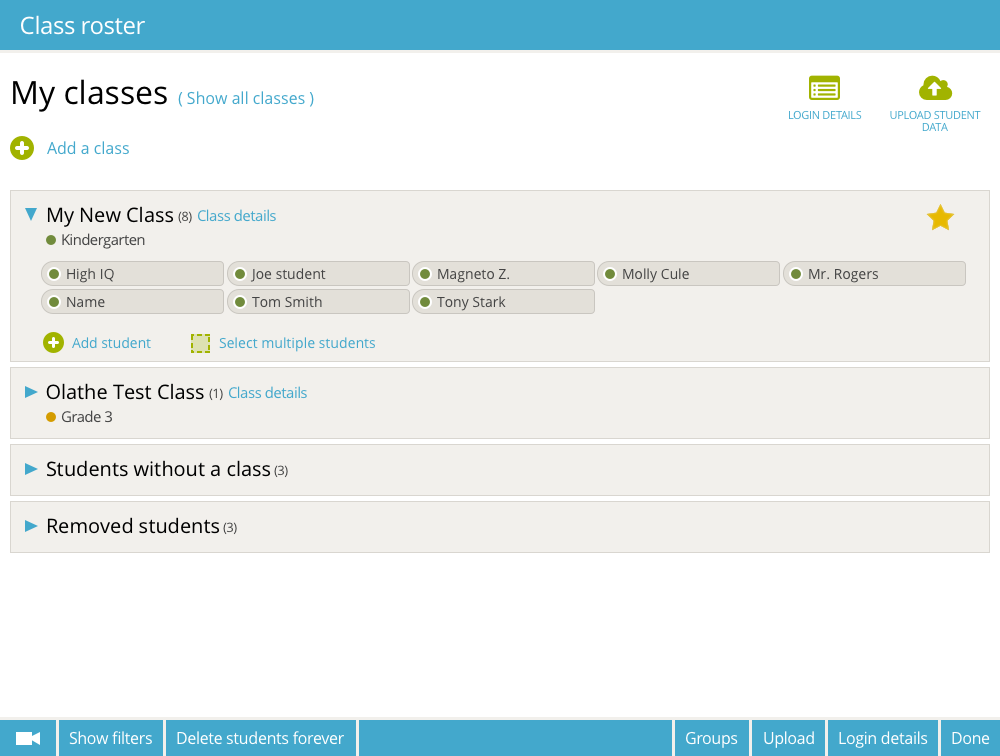
I also produced two user flow diagrams in Draw.io. The first diagram explains the responsibilities of each party during the roster integration process, for reference by all Sumdog staff.
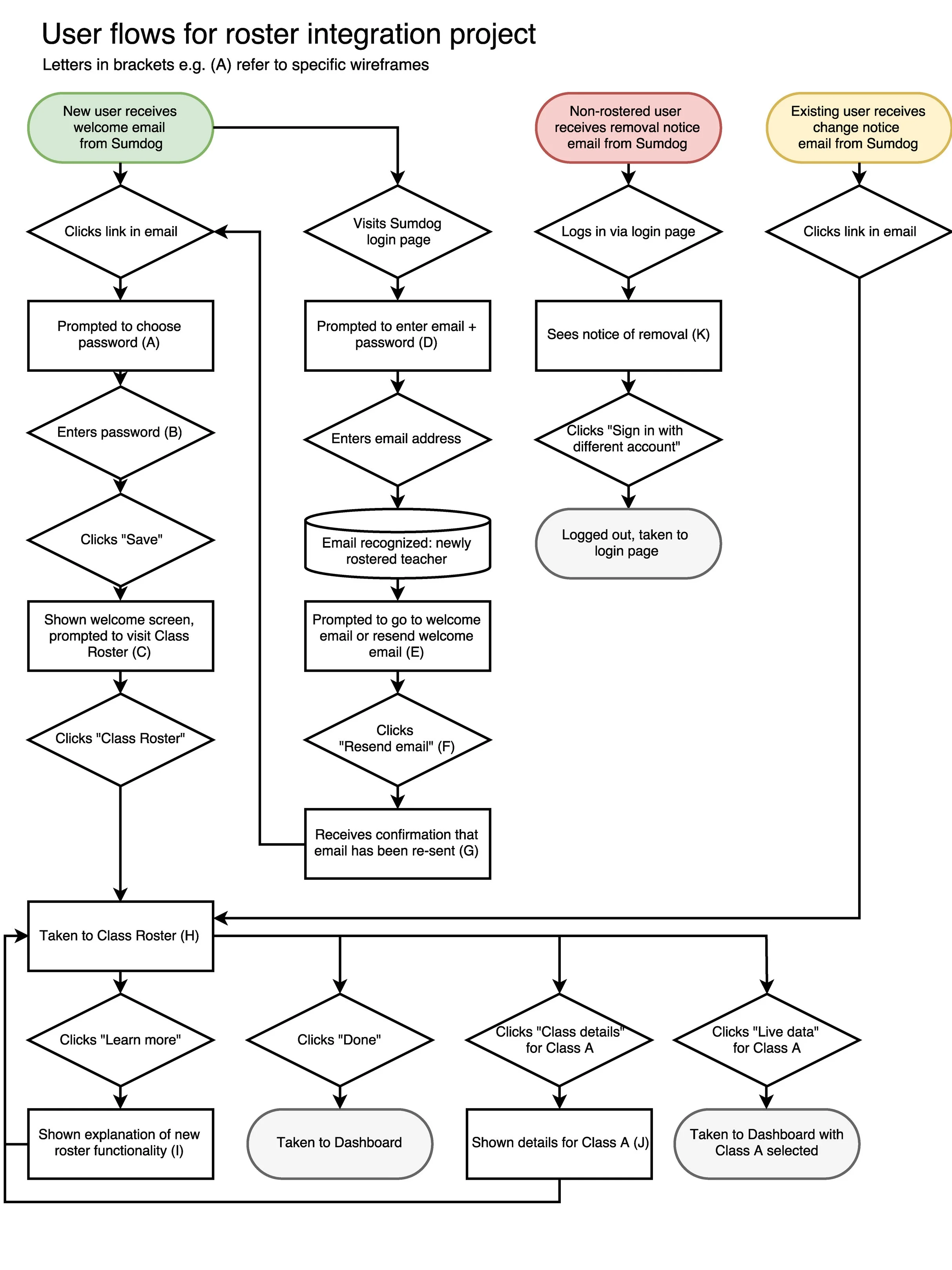
The second diagram maps out the user flow for teachers in every situation, for the benefit of developers.
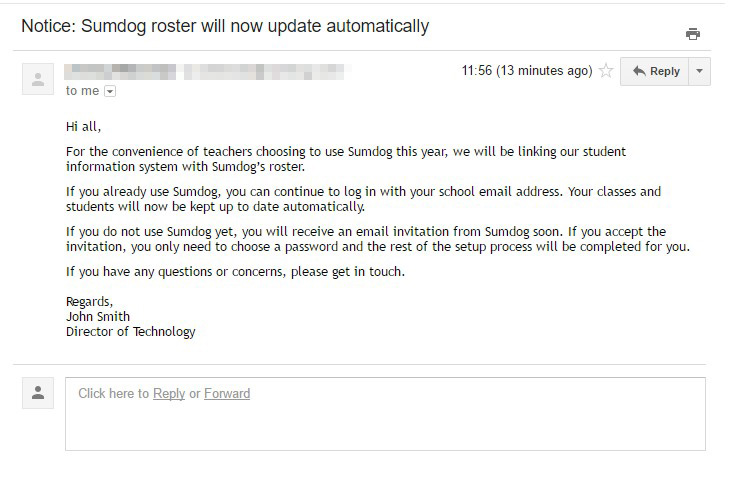
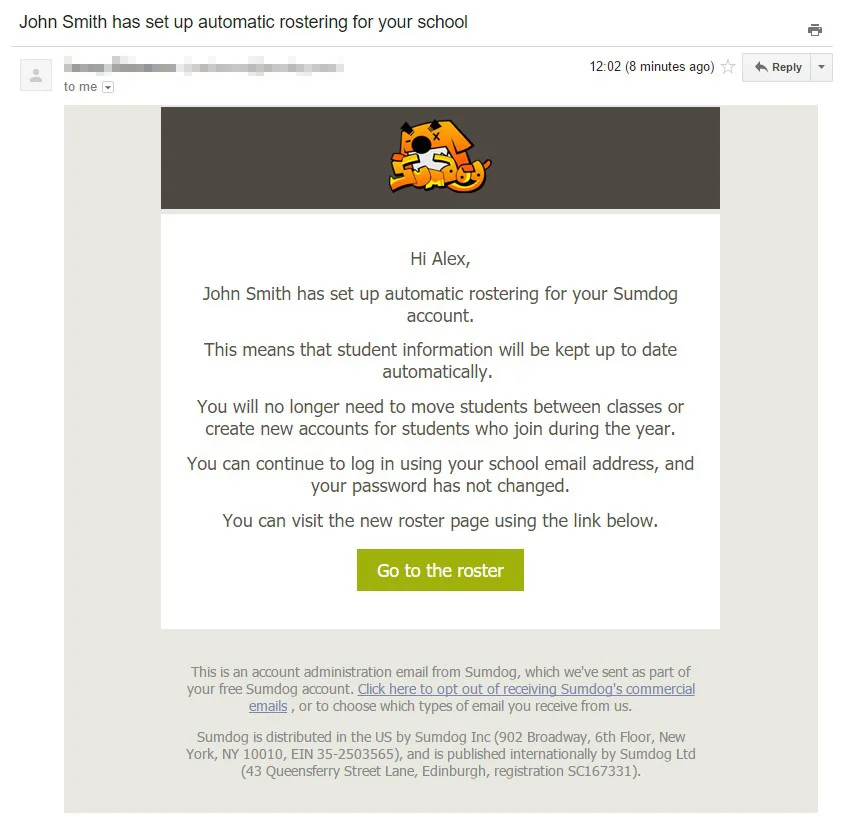
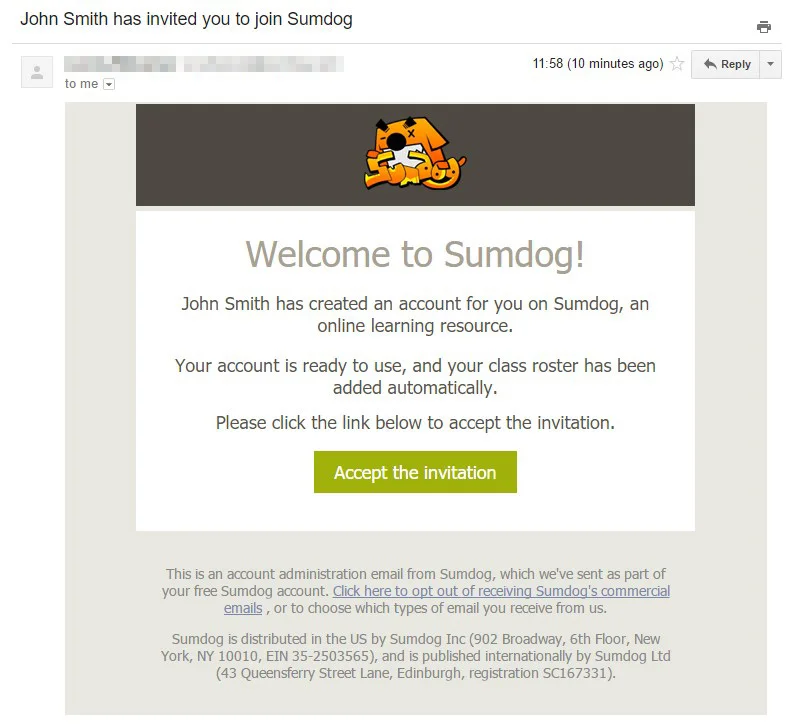
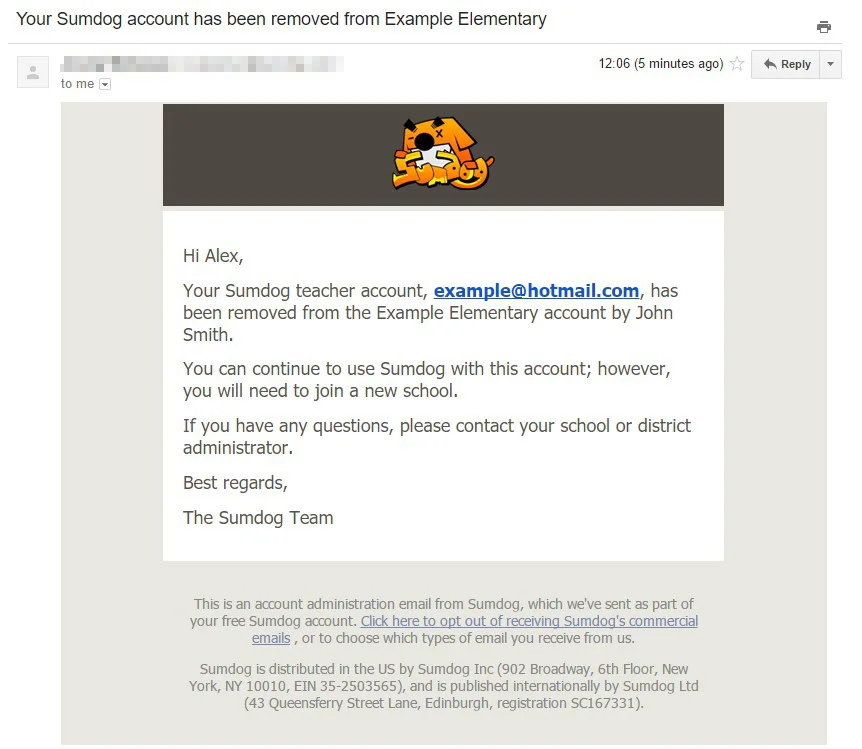
I also wrote the copy for the automatic emails which would be sent to users, and a template for the warning email which district administrators would send to their teachers.
I turned this copy into some sample emails (using Sumdog's existing HTML email styles) so that I could include images of the emails in the usability tests.
05. Usability testing
I bundled the mockups and emails together in a clickable InVision prototype, and wrote a set of scenarios that would guide users through them all.
I then ran usability tests with 7 teachers (recruiting from the mailing list I created earlier), and produced a usability report which summarized the findings.
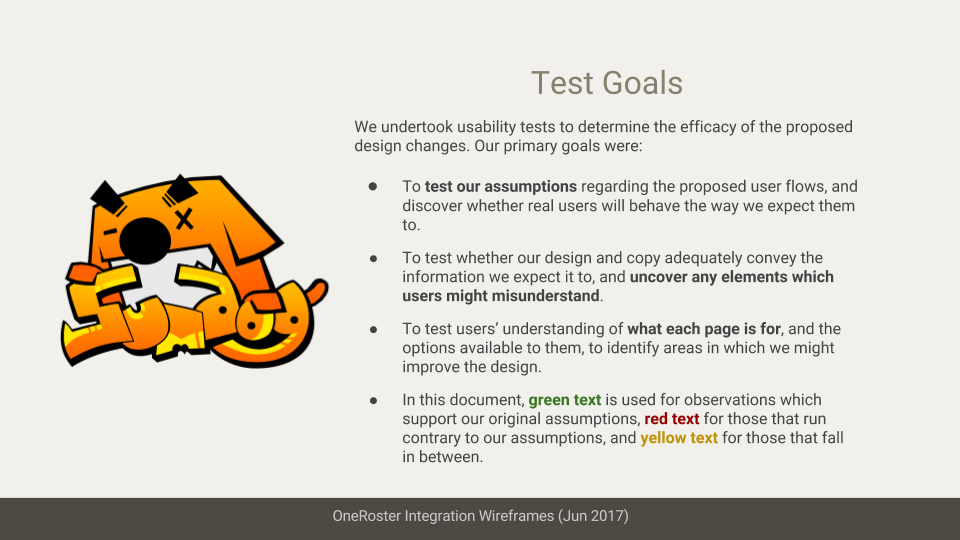
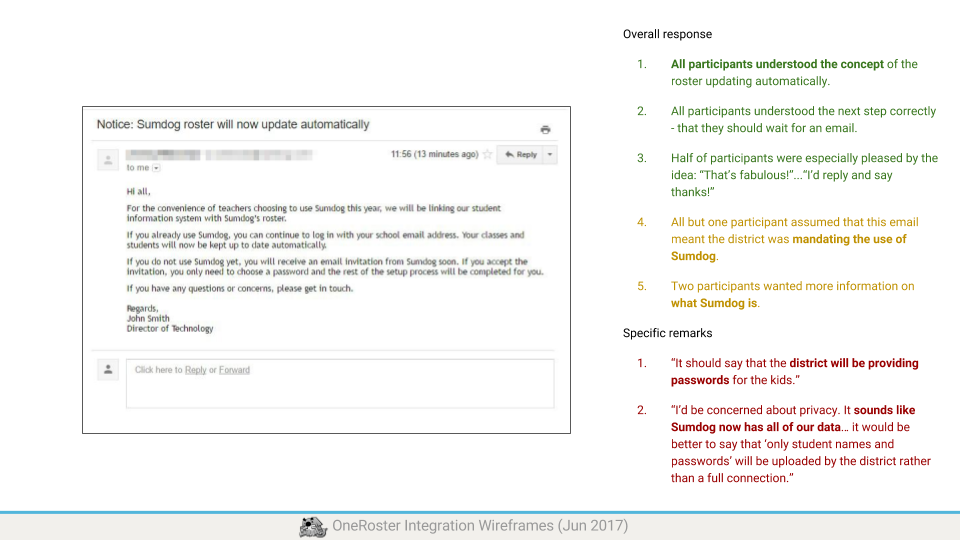
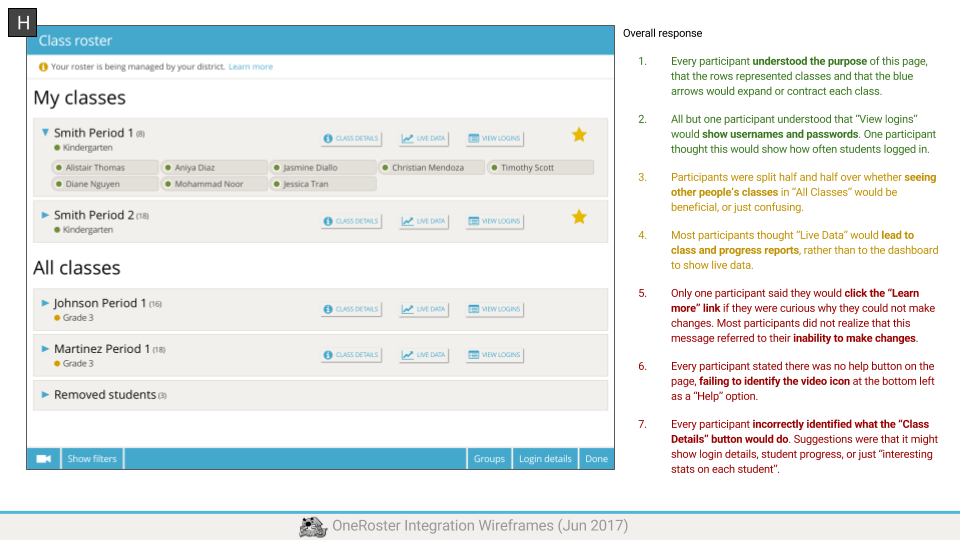
Generally, the usability tests showed that the design worked as intended. Teachers understood why the roster could not be edited and felt that the benefits outweighed the costs. They also understood what their next step should be at each point in the user flow.
Some changes did need to be made, however. For example, teachers felt that the "Class Details" page did not contain much useful information. Since removing or renaming that page was not an option, I de-emphasized it in the final design relative to the more important "Live Data" and "View Logins" features.
I discovered during testing that InVision's Live Share feature (which I was using for the remote tests) displays its own interface buttons over the top of the displayed mockups. There was no clear way to hide these buttons on the participant's screen.
This caused some false negatives where users missed important buttons, because they were hidden behind InVision's interface. Some of the findings from the tests had to be discarded as a result. For future projects, I would try to find an alternative method for testing the wireframes.
06. Project Outcomes
I completed all project deliverables well within the 3-week deadline. The development team were satisfied by the designs and began the coding work. The team was especially appreciative of the detailed research report I'd produced, as it included many insights that would be useful for future projects.
I also received praise for the annotated presentations I'd produced to explain my design decisions.
The new roster functionality is still in development and has not yet been publicly released.